
E-Signature and VideoIdent
Say Goodbye to Piles of Paper – with E-Signatures and VideoIdent

If you want to sign a document quickly, easily, and securely, an electronic signature (e-signature) is the perfect solution. Whether you use a smartphone, tablet, or computer – you can access this service 24/7 from anywhere in the world. And thanks to VideoIdent, identity verification is incredibly simple.
Identity Verification via VideoIdent
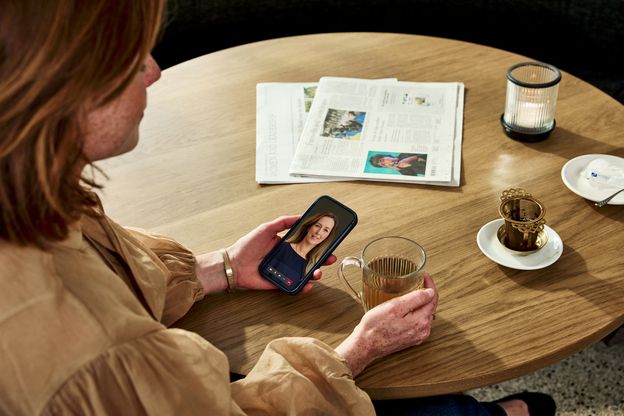
Are you a new customer who needs to undergo identity verification? With our VideoIdent process, this is also very simple. You can complete the verification from anywhere, at any time. Take advantage of faster processing thanks to digital transmission.

E-Signature
To sign documents electronically, you'll need access to the email address and cell phone number you provided to us for this purpose. During an e-signature session, you'll first need to authenticate yourself and then you'll be able to sign the documents electronically. Please allow about 5 minutes for each session.
The benefits of e-signatures at a glance:
- User-friendly access around the clock, from anywhere in the world.
- Faster processing thanks to digital transmission.
Customer Guide: The Entire Process

ZealiD Customer Guide
E-Signature Process
1. Email and Link
- You will receive a link from the bank via email
- This link is valid for 30 calendar days
- Click on this link
2. Signing the Documents
- You will be automatically redirected to signhost.com
- A TAN will be sent to the phone number you have on file with us to display the document to be signed
- After reviewing the document and receiving another TAN, you can sign the document
3. Ending the E-Signature Session
Once you have signed the document, the e-signature session is complete, and you will then receive two separate emails from the sender signature@bethmannbank.de:
- An email containing the electronically signed document as a PDF and a download link
- A second email containing the transaction receipt for your records

Our Partner Entrust
For our E-Signature service, we use Signhost, a particularly user-friendly IT solution from our trusted service provider Entrust. Entrust is a market leader in online identification and e-signatures and has been in the market for more than 10 years.
Our Qualified Electronic Signature with ZealiD
To electronically sign our sensitive documents in a legally compliant manner, we use ZealiD's qualified electronic signature through our partner Entrust. ZealiD is a trust service provider. As a result, your e-signature has the same legal validity as a handwritten signature and is accepted within EU member states.
Note: To use our ZealiD qualified e-signature, you must first download the ZealiD app to your smartphone or tablet and verify your identity. We’ve summarized how it works in the “ZealiD Customer Guide" in the download section.

Download the ZealiD app
- Qualified Electronic Signature
- eIDAS Compliance
- Highest Level of Security


More Information on Electronic Signatures
How do I know that Entrust is secure?
Bethmann HAL uses Entrust's online service, unterzeichnung.de, for electronic signatures. Signhost uses a secure SSL certificate to secure communication between the web server and your browser. You can tell that you are using an active Signhost SSL certificate if:
- the URL begins with https://
- you see a padlock icon on the right side of your browser's address bar
What is ZealiD?
To electronically sign our sensitive documents in a legally compliant manner, we use ZealiD's qualified electronic signature through our partner Entrust. This e-signature has the same legal validity as a handwritten signature and is accepted as a trust service provider within EU member states.
To use our ZealiD qualified e-signature, you must first download the ZealiD app to your smartphone or tablet and verify your identity. We’ve summarized how it works in the "ZealiD Customer Guide" in the download section.
What are the requirements for electronically signing documents at Bethmann HAL?
To use Bethmann HAL's e-signature service, you must sign an agreement authorizing the use of e-signatures. To sign documents electronically, you'll need access to the email address and cell phone number you provided to us for this purpose. During an e-signature session, you must first authenticate yourself and can then sign the documents electronically. Please allow about 5 minutes for each session.
How do I know that Entrust is secure?
Bethmann HAL uses Entrust's online service, unterzeichnung.de, for electronic signatures. Signhost uses a secure SSL certificate to secure communication between the web server and your browser. You can tell that you are using an active Signhost SSL certificate if:
- the URL begins with https://
- you see a padlock icon on the right side of your browser's address bar
What is ZealiD?
To electronically sign our sensitive documents in a legally compliant manner, we use ZealiD's qualified electronic signature through our partner Entrust. This e-signature has the same legal validity as a handwritten signature and is accepted as a trust service provider within EU member states.
To use our ZealiD qualified e-signature, you must first download the ZealiD app to your smartphone or tablet and verify your identity. We’ve summarized how it works in the "ZealiD Customer Guide" in the download section.
What are the requirements for electronically signing documents at Bethmann HAL?
To use Bethmann HAL's e-signature service, you must sign an agreement authorizing the use of e-signatures. To sign documents electronically, you'll need access to the email address and cell phone number you provided to us for this purpose. During an e-signature session, you must first authenticate yourself and can then sign the documents electronically. Please allow about 5 minutes for each session.